
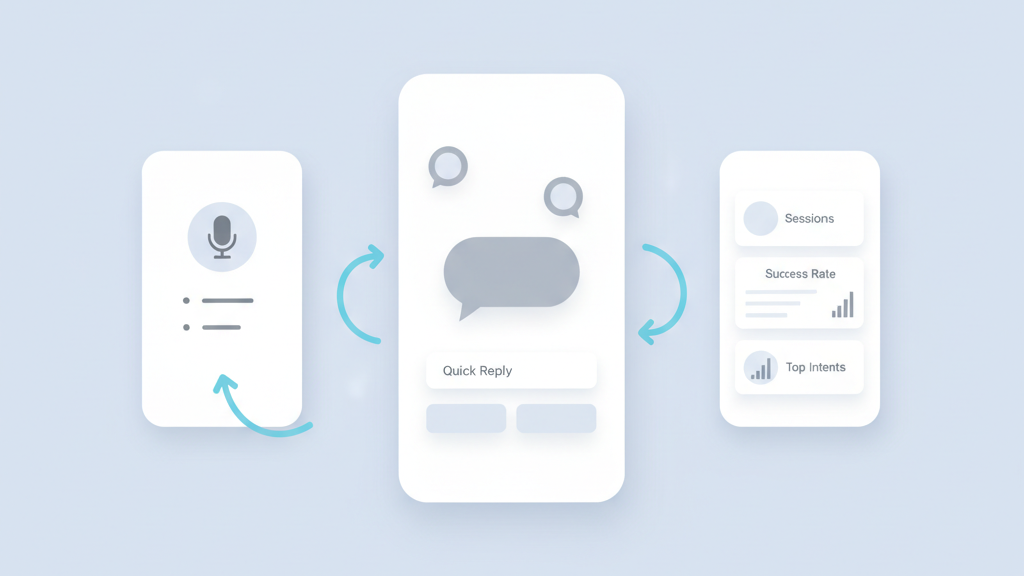
This guide covers voice assistant startup app MVP conversational design principles for founders and product managers who need a fast, usable prototype. You will read about scope, prompts, turn taking, testing, metrics, and privacy. The aim is to help teams avoid common traps and ship an MVP that proves value. Many startups miss the basics of conversational flow and then waste months polishing the wrong features. Read on for concrete steps and real warnings you can act on during the first three sprints. If you want a related deep dive, read FlutterFlow eduTech app MVP product strategy for US product managers: A Practical Guide.
Start With Problem And User Context
Begin by mapping the real problem you solve and who will speak to your app. Focus on a narrow user job that benefits from voice interaction. Talk to potential users and watch them try to describe the task out loud. Many teams assume that voice is magic and skip this step. That is a mistake. A clear job lets you limit vocabulary and expected turn sequences. Define the contexts where the app will be used and the background noise you must tolerate. Document user intent examples and edge phrases that come up in interviews. This upfront work saves time in design and testing. It also keeps your MVP from becoming a pile of features. Keep decisions small and testable, and be ready to drop features that do not help the core job. If you need implementation support, explore FlutterFlow development.
- Interview real users for voice usage scenarios
- Pick one core job to validate first
- List common phrasings and edge cases
- Note likely noise and environment constraints
- Avoid adding features before validation
Define Minimal Conversational Scope
Choose a minimal set of intents that directly support the core job. Each intent should have a small, testable success path. Resist the impulse to add wide intent coverage. For an MVP you want predictable outcomes and measurable success. Build a decision tree for the happy path and a small number of recovery paths. Design failure modes so the system asks a clarifying question or hands off to a fallback. Keep prompts short and explicit. Write sample dialogs that show how users start, confirm important details, and finish the task. Create canned utterances to train the speech model and to guide users toward predictable language. This scope discipline will make your MVP easier to test and iterate. For a practical follow-up, see How to Choose the Right MVP Development Company for Your Startup’s Unique Needs.
- Limit intents to the essential few
- Design one clear happy path per intent
- Create simple recovery strategies
- Write sample dialogs to validate flow
- Use canned utterances for early training
Design Clear Turn Taking And Prompts
Good turn taking reduces user frustration and makes interactions feel natural. Decide when the app listens and when it speaks. Use brief prompts to guide the next user utterance and avoid long monologues. Include clear confirmations for important inputs and offer quick ways to correct mistakes. Visual cues help when users have screens, so add waveform indicators and short text hints. Test phrasing for brevity and clarity. Avoid jargon and long menus of options. Instead provide single step actions and confirm the key outcomes. A practical warning is that too many follow up questions will kill engagement. Keep each exchange purposeful and end dialogs as soon as the task is done.
- Define explicit listen and speak states
- Keep prompts short and actionable
- Confirm critical inputs with simple phrases
- Use visual cues when available
- Limit follow up questions per task
Prototype And Test Early With Real Users
Build a lightweight prototype that shows the core experience and use it in real sessions. You do not need perfect speech recognition for early learning. Use Wizard of Oz tests or scripted responses to validate the flow and language. Record sessions and tag common phrases and failure points. Watch for misunderstandings, unexpected language, and points where users seek visual hints. Iterate on prompts and recovery strategies after each round. Test in the intended noisy environments and on devices your users actually have. Quick tests reveal usability problems that design documents miss. Testing early also helps prioritize which edge cases to automate first. In my experience rapid user tests are the best investment for a voice MVP. Teams moving from strategy to execution can review MVP development for startups.
- Use Wizard of Oz testing to validate flows
- Record and tag real user sessions
- Test in real environments and devices
- Iterate prompts after each test round
- Prioritize fixes by impact on success
Measure Success With Actionable Metrics
Define a small set of metrics that prove the product is useful. Track task completion rate, time to success, friction points, and fallback frequency. Measure user corrections and repeat attempts to spot recognition problems. Use analytics to see which intents fail most often and which prompts cause abandonment. Combine quantitative data with session recordings and qualitative notes. Set clear thresholds for what counts as a validated MVP and what needs more work. Avoid vanity metrics that do not link to user outcomes. Focus on numbers that show real value for users and potential retention signals for the product. A related guide worth reviewing is How To Set Product Metrics And KPIs For Startups That Scale.
- Track task completion and time to success
- Measure fallback and correction frequency
- Use session recordings for qualitative context
- Prioritize fixes by user impact
- Set validation thresholds for release
Plan For Privacy And Edge Case Handling
Privacy and unexpected inputs matter for trust and legal compliance. Plan how you will store audio and transcripts and what you will delete. Design explicit consent prompts and short privacy reminders during onboarding when needed. Handle sensitive queries with clear fallbacks and safe defaults. Prepare for edge cases such as overlapping speech, repeated triggers, or ambiguous commands. Build simple rules for escalation to a human or to a fallback screen. These steps protect users and reduce risk. Many founders underestimate privacy work early on and then face costly rewrites. Addressing these items in the MVP phase is wise and shows respect for users.
- Define audio and transcript retention policies
- Include consent and privacy reminders
- Create safe fallbacks for sensitive queries
- Handle overlapping speech and repeats
- Plan escalation rules for ambiguous cases