
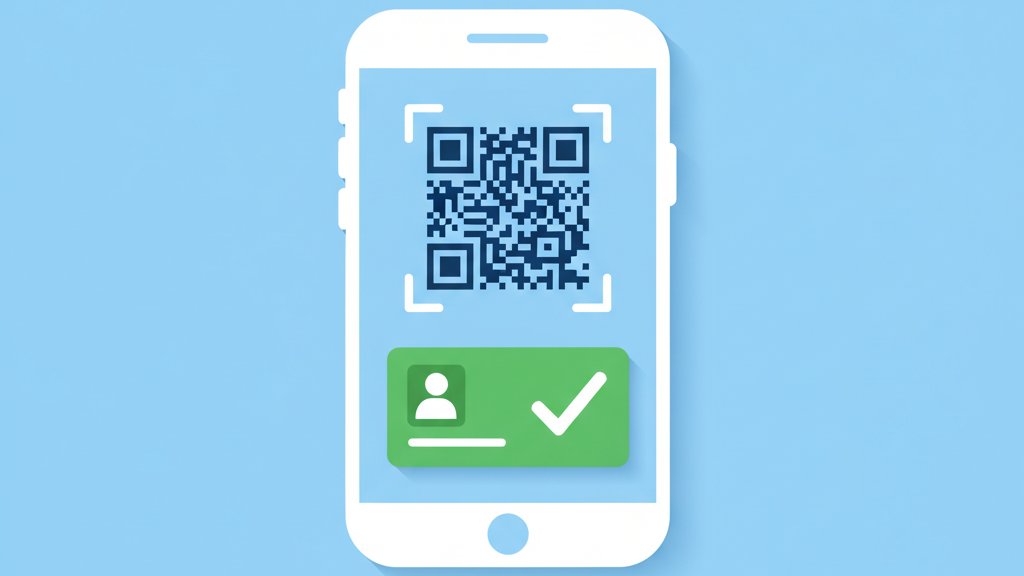
The success of a live event often depends on the first few seconds of a guest arrival. If the door process is slow, the entire attendee experience suffers. Modern startups need to focus on building an event ticketing platform MVP for seamless attendee check in to solve this problem. This guide explores how to build a lean product that handles high traffic while maintaining a simple interface for event staff. Many founders make the mistake of adding too many features too early. We believe in perfecting the core entry flow before expanding into complex marketing tools. This approach reduces development costs and ensures your software actually works when the venue doors open. In the following sections, we will break down the architecture and user experience requirements for a successful launch.
Prioritizing the Door Experience
When you begin your development journey, you must prioritize the speed of the scan above all else. Many startups miss this by focusing on fancy social sharing features instead of the basic utility of the app. Your users are the event staff members who are often standing in noisy environments with poor lighting. They need a system that responds in milliseconds rather than seconds. A slow database query can create a massive bottleneck at the entrance. This leads to frustrated guests and stressed organizers. You should design your entry flow to work with a single tap. The system should provide clear visual and haptic feedback. A green screen for success and a red screen for failure is often better than a detailed text message. Keep the interface clean and avoid cluttering the scanning screen with unnecessary data. You only need to see the ticket status and perhaps the guest name. Everything else is secondary during the peak check in window. By focusing on this narrow goal, you build a tool that solves the biggest pain point in the industry today. This builds trust with your early adopters and helps you gather better feedback for your next version.
Essential Technical Features for Entry Control
The technical foundation of your platform needs to be robust but flexible. You must consider how the hardware interacts with your software in a real world setting. Using an event ticketing platform MVP for seamless attendee check in requires a strong focus on mobile performance. Most staff will use their own smartphones to scan tickets. This means your application must handle various camera qualities and processor speeds. We suggest using a cross platform framework like React Native or Flutter to maintain a single codebase. This ensures that the scanning logic remains consistent across different devices. You also need a reliable way to generate and validate unique identifiers. Standard QR codes are the most common choice because they are easy to scan and cheap to generate. Your backend should handle high concurrency during the first hour of an event when thousands of requests hit your server at once. It is also wise to include a manual search feature for guests who forget their tickets. This prevents the line from stopping when a single user has a problem. Consider the following technical requirements for your initial build.
- High speed QR code recognition libraries
- Encrypted ticket data to prevent duplication
- Push notifications for real time entrance alerts
- Battery optimization for long event shifts
- Manual guest list search and override tools
Designing for Environmental Challenges
Many developers forget that events do not happen in perfect laboratory conditions. You might have to deal with heavy rain at an outdoor festival or a dark basement at a tech conference. Your scanning interface must account for these environmental variables. Use high contrast colors for your status messages so they are visible under direct sunlight. Ensure that the camera view includes a toggle for the phone flashlight. This is a simple feature that many founders overlook until they are at a dark venue. You should also consider the physical ergonomics of the scanning process. Staff will be holding their phones for several hours. A simple and light UI reduces fatigue and minimizes human error. We recommend testing your scanning speed with various screen brightness levels and damaged phone screens. If your app cannot read a cracked screen or a printed ticket that is slightly folded, it will fail in the field. Build a buffer into your camera focus logic to help staff move through the line quickly. Small adjustments to the scanning radius can make a massive difference in how many people enter per minute. This attention to detail is what separates a professional tool from a hobby project.
Solving the Connectivity Problem
Connectivity is the biggest enemy of any live event software. Large crowds often overwhelm local cell towers and venue Wi-Fi networks. Your platform must be resilient enough to handle intermittent internet access. If your app stops working the moment the signal drops, the event will descend into chaos. You need a strategy for offline synchronization. This involves storing a local copy of the guest list on the device and syncing updates whenever a connection is found. This is a complex engineering task but it is non negotiable for a professional product. You have to decide how to handle conflicts if two different devices scan the same ticket while both are offline. Usually, the first scan recorded by the server should be the only valid one. We recommend using a local database on the mobile device for fast lookups. This allows the app to validate tickets instantly without waiting for a server response. The sync process should happen in the background so it does not interrupt the staff member. This architecture provides a safety net that gives organizers peace of mind. Use these strategies to manage your data sync.
- Local storage for entire attendee databases
- Background sync intervals to minimize data usage
- Conflict resolution logic for double scans
- Visual indicators for online and offline status
- Batch uploading of scan logs to the server
Roadmap After the Initial Launch
Once you have a stable version that handles the door well, you can start looking at secondary features. Data analytics is usually the first priority for organizers after an event ends. They want to know when the peak entry times were and which staff members scanned the most tickets. You can turn this data into valuable insights for future planning. Another area for growth is integration with third party marketing tools and email platforms. This helps organizers stay in touch with their community. However, you should still keep the core check in flow separate from these features. Do not let the complexity of a CRM slow down the mobile app used at the door. You might also consider hardware integrations for professional scanners if you move into the stadium or large concert market. These devices often have physical buttons and laser scanners that are even faster than phone cameras. As you grow, listen to the people on the front lines. They will tell you exactly what is missing and what is redundant. Successful platforms are built on the feedback of the people who actually use them in the heat of a busy event. Keep your iterations focused on reliability and speed to maintain your competitive edge in the market.