
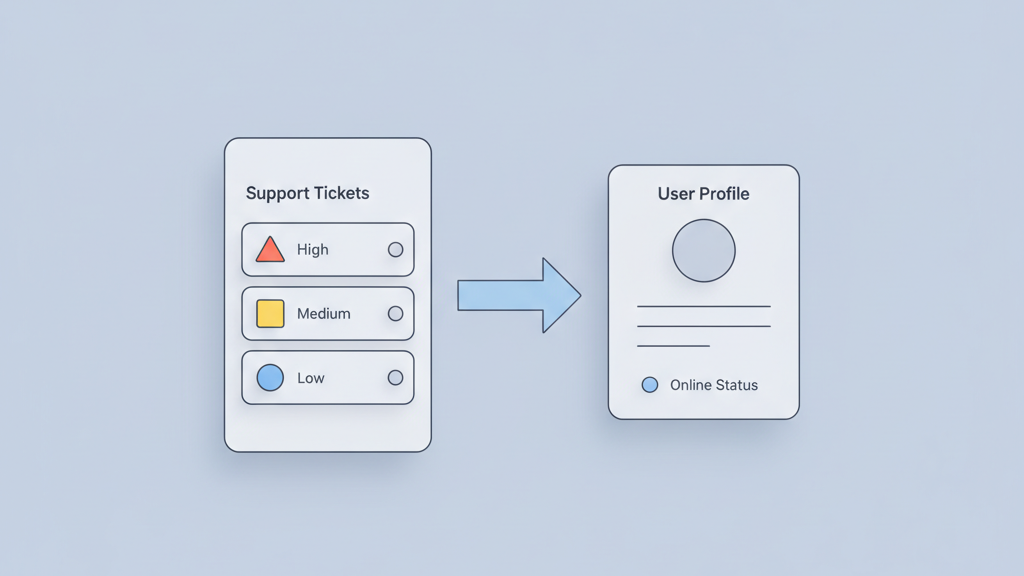
Startups need efficient ways to manage user feedback without spending months on custom builds. Using low code tools for a customer support app allows for rapid iteration and deployment. We will cover the core of FlutterFlow customer support app MVP product strategy and development to get your team up and running. This approach ensures you build a tool that solves real problems for your users while keeping costs under control.
Why Startups Choose Low Code for Support Tools
Startups often face a dilemma when building internal tools. They need a robust system but they cannot afford six months of development time. This is where the concept of FlutterFlow customer support app MVP product strategy and development becomes vital. Many founders think they must build every feature from day one. This is a common mistake. You should focus on the primary channel your users prefer. If your users are on mobile then a dedicated support app makes sense. Low code platforms allow you to drag and drop complex elements without sacrificing the underlying code quality. You can export the Flutter code at any time. This flexibility provides a safety net for growing companies. You start with a simple interface for submitting tickets. You then expand into live chat as your team grows. The speed of this platform means you can respond to user feedback in days rather than weeks. This keeps your early adopters happy. It also keeps your development costs low. You are building a foundation that can scale. You are not just throwing together a prototype. You are creating a tool that integrates with your existing database. This approach ensures data consistency across your entire ecosystem. Practical experience shows that building the agent interface is just as important as the user side.
Defining the Essential MVP Feature Set
Defining the core functionality is the next step in your plan. You must identify which features are essential for a minimum viable product. A support app needs to do more than just send messages. It needs to organize information so agents can act quickly. Many startups miss the importance of user context. An agent should see the user history immediately. This reduces the need for back and forth questions. You should also consider how the app handles notifications. Push notifications are better than emails for urgent issues. You want your users to feel like help is always available. Avoid adding complex social features or unnecessary settings in the first version. Focus on the path from reporting a problem to reaching a resolution. If you try to build too much you will delay your launch. A simple ticketing system with a clear status is often enough to start. You can add media uploads or voice messages in later versions. Keeping the scope small allows you to perfect the user experience for the most common tasks.
- Centralized ticketing to track all active issues
- Real time chat for urgent user queries
- Secure user profiles with purchase history
- Knowledge base integration for self service
- Push notifications for ticket updates
- Simple dashboard for support team analytics
Architecture and Backend Logic Integration
Data architecture is where many low code projects fail. You need a solid backend to support your application. Firebase is a popular choice because it offers real time data syncing. This is perfect for a chat interface. You can set up collections for tickets and messages and users. Each ticket should have a status field like open or closed or pending. This allows you to filter the view for your support agents. You also need to think about security rules. Only the user who created the ticket and the support staff should have access to the data. Many teams forget to set these rules early. This leads to privacy issues later. You can use Cloud Functions to trigger emails when a ticket is updated. This keeps the user informed even if they do not have the app open. The logic should be simple at the start. You do not need complex routing algorithms yet. A simple queue system is usually enough for a startup. You can add automated sorting later as your volume increases. Focus on data integrity first. Ensure that every message is timestamped and linked to the correct user account. This makes troubleshooting much easier for your technical team.
Designing for Speed and Agent Efficiency
The user interface for a support tool requires a different approach than a consumer app. It needs to be functional and fast. Your agents will spend hours in this interface so it must be clean. Avoid using heavy images or complex animations that slow down the performance. Stick to a standard layout that users already understand. A bottom navigation bar is useful for switching between active tickets and the knowledge base. In this phase of your development you should prioritize the mobile experience. Many support teams work on the go. Having a responsive app means they can help users from anywhere. Use clear labels for buttons. Do not hide important actions behind multiple menus. The goal is to reduce the time it takes to resolve a problem. Every extra click is a delay for the customer. You can use themes to keep the branding consistent with your main product. This builds trust with your users. They should feel like the support app is a natural extension of your service. Many startups overlook the importance of dark mode for internal tools. It reduces eye strain for agents working long shifts.
Testing and Iteration Strategies
Testing and iteration are the final components of your strategy. You should launch your MVP to a small group of users first. This allows you to catch bugs before a full release. Listen to the feedback from your support staff. They are the primary users of the agent side of the app. If they find a specific workflow confusing you should change it immediately. Many founders ignore internal feedback and only focus on the end customer. This is a mistake. A frustrated support agent will give poor service. You should also monitor the performance of the app on different devices. FlutterFlow makes this easier but you still need to check for layout issues on smaller screens. Look at the analytics to see which features are used the most. You might find that users prefer searching the knowledge base over using the live chat. This information helps you decide what to build next. Keep your release cycles short. Small updates are easier to manage than massive feature dumps.
- Conduct beta testing with internal teams
- Monitor ticket resolution times closely
- Gather feedback on the chat interface
- Analyze the most common support topics
- Update the knowledge base regularly
- Refine UI based on agent navigation patterns