
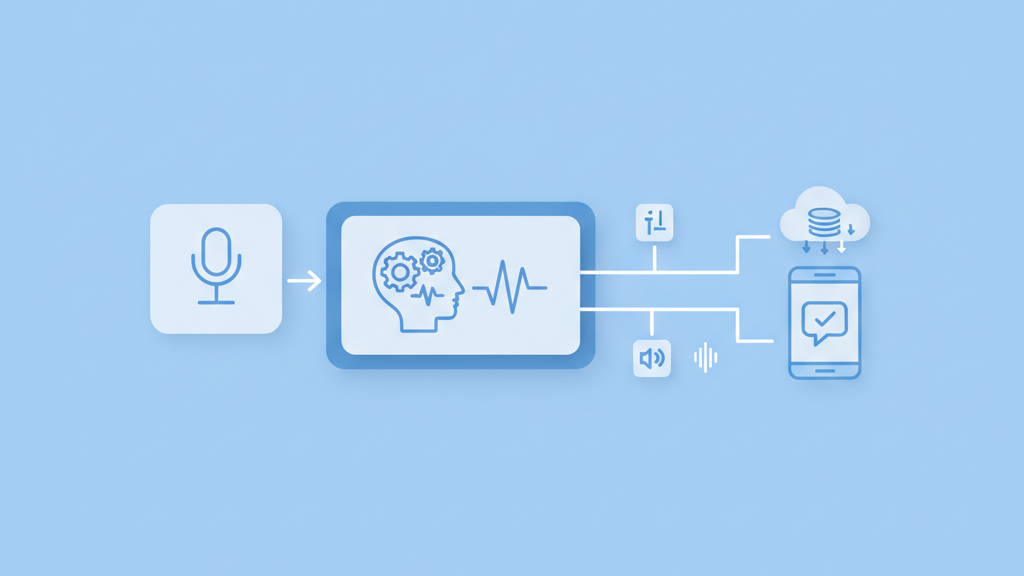
The rise of ambient computing has pushed voice technology into the mainstream. Building a voice assistant application MVP development for product teams requires a shift in mindset from visual design to conversational logic. This guide covers the essential steps for shipping a functional product without overcomplicating the initial build. We will explore how to focus on high value features and avoid the technical debt that often sinks early stage projects.
Defining the Core Value Proposition
Many startups miss this step because they try to compete with tech giants immediately. You cannot build a general assistant like Siri or Alexa on a seed stage budget. The key is to find a specific niche where voice adds more value than a traditional touch interface. For example, a voice app for hands free warehouse inventory or a medical scribe for doctors creates immediate utility. Product managers should focus on one primary intent and master it. If your assistant can do ten things poorly, users will delete it. If it does one thing perfectly, it becomes a habit. It is my opinion that specificity is the only way to survive in this market. Your team must map out the exact environment where the user will be. Are they driving, cooking, or working in a loud factory? These environmental factors dictate your choice of hardware and noise cancellation software. A narrow focus allows you to refine the natural language understanding for a limited set of vocabulary. This increases accuracy and reduces user frustration. Start with a single use case and prove the concept before adding more features. This disciplined approach saves time and capital during the early stages of growth.
Selecting the Right Technical Stack
The technology stack for a voice assistant consists of three main pillars. You need speech to text, a natural language engine, and text to speech. While many teams default to using the big cloud providers, there are several open source alternatives that offer more control over data. You must decide if the processing will happen on the device or in the cloud. Cloud processing is easier to implement but introduces latency. Device based processing is faster and more private but requires significant hardware resources. Most startups find a hybrid approach works best for a prototype. Speed is everything in voice interactions. A delay of more than one second makes the conversation feel broken and unnatural. You should also consider how your app will handle connectivity issues. A robust MVP must include local fallback options or clear error messages when the internet drops. Choosing a flexible stack now will prevent a total rewrite when you need to scale. We recommend prioritizing modular services that allow you to swap out individual components as better technology becomes available.
- Speech to text engines for accurate transcription
- Natural language understanding for intent classification
- Text to speech engines for natural sounding responses
- Dialogue management systems for conversation flow
- Backend infrastructure for data storage and logic
- API integrations for third party functionality
Designing the Conversational Experience
Designing for voice is fundamentally different from designing for screens. There are no buttons to guide the user. This means the system must be proactive in helping the user understand what to say next. Product teams often fail by making the assistant too talkative. Users want fast answers, not long explanations. You should aim for brevity in every response. Use clear prompts that limit the range of possible answers. This is called constrained navigation. It helps the machine understand the user with much higher confidence. Another common mistake is ignoring the repair flow. When the assistant does not understand a command, it should not just say it did not get that. It should offer a helpful suggestion or ask a clarifying question. This keeps the loop open and prevents the user from giving up. Think of the assistant as a helpful clerk rather than a computer. It should be polite but efficient. Every word the assistant speaks adds to the cognitive load of the user. Minimize the noise and focus on the information. Good design in this space is invisible and lets the user achieve their goal without thinking about the interface.
Handling Data Privacy and Security
Privacy is a major hurdle for any voice assistant application MVP development for product teams. Users are rightfully concerned about their conversations being recorded or sold. You must be transparent about when the microphone is active and how the data is stored. For a successful launch, implement clear privacy controls from day one. This includes easy ways for users to delete their history. It is also important to use secure authentication for any personal actions. Many teams skip this in the MVP phase but it is a mistake. If your app handles sensitive data, you need to ensure it meets industry standards. In the USA, this might mean looking into HIPAA or other regulatory frameworks depending on your industry. Secure your APIs and use encryption for data in transit. Even a small data leak can destroy the reputation of a new startup. Prioritizing security builds trust with your early adopters. This trust is your most valuable asset when asking users to bring your technology into their homes or offices. Do not cut corners here because the cost of fixing a security breach is much higher than building it right the first time.
Testing for Accuracy and Performance
Testing a voice app is more complex than testing a web app because of the variability in human speech. Different accents, background noises, and slang can all break your system. You need to test with a diverse group of users to find these edge cases. Product teams should track the word error rate and the intent recognition rate. These metrics tell you how well the system actually understands the user. Another critical metric is the time to first byte in the audio response. If the system takes too long to think, the user will speak again and confuse the state machine. Use automated testing tools to simulate different acoustic environments. This helps you identify if the app fails in a moving car or a busy office. You should also monitor how often users have to repeat themselves. High repetition rates indicate a flaw in your language model or your prompts. Continuous testing allows you to refine the experience based on real world usage patterns. Do not wait for a perfect product to launch. Get the MVP in front of users and iterate based on their actual behavior. This real world data is more valuable than any internal lab test.
- Test with various regional accents and dialects
- Measure performance in high noise environments
- Track the success rate of common user intents
- Monitor latency across different network conditions
- Analyze logs for frequent non recognition errors