
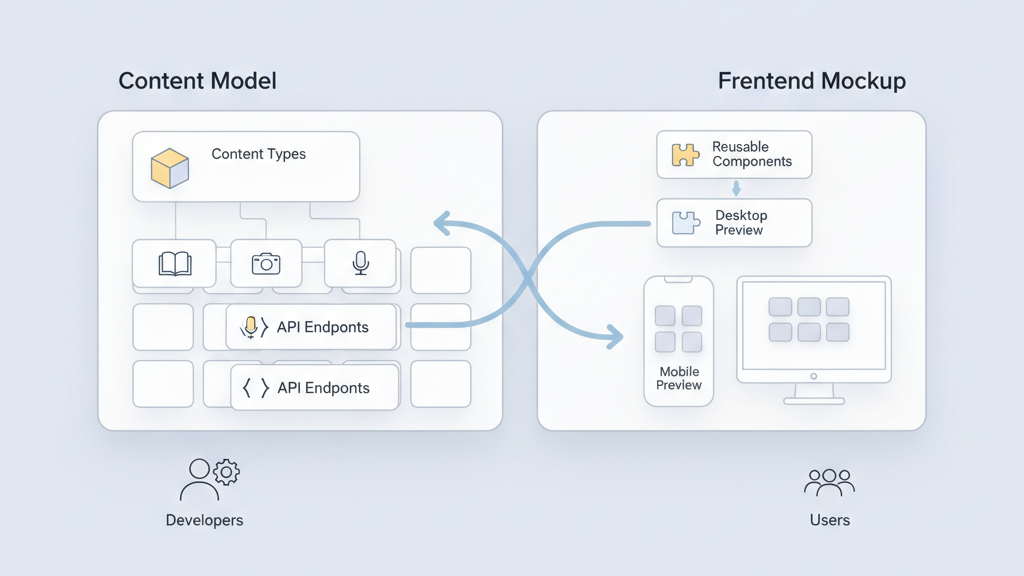
Choosing between Headless CMS vs traditional CMS for SaaS products shapes your product roadmap. This decision affects developer velocity, content workflows, and long term maintenance. Startups often pick one based on short term needs and then hit scaling friction. I argue that the right choice depends on product goals, team skills, and release cadence. Many startups miss this and build costly technical debt. This post walks through trade offs in plain terms and offers practical signals to pick the best path for your SaaS. Expect clear trade offs, some warnings about migration traps, and hands on guidance that founders can use in planning conversations.
Quick Comparison And Core Trade Offs
A headless system separates content storage from presentation so APIs serve content to any client. A traditional system ties content and presentation in a single application with built in rendering and admin UI. The headless option gives flexibility when you need multiple channels like web apps, mobile apps, and IoT displays. The traditional option gives speed of delivery when you need a simple site or a marketing site that must be updated by non technical teams. Developers usually like headless for reuse and performance. Product people often prefer traditional systems for fast iteration and fewer moving parts. Many teams find a hybrid approach useful but hybrid adds complexity. Consider your channels, team skills, and timeline when choosing.
- Map channels first
- Weigh reuse against setup effort
- Plan for governance early
- Consider hybrid only with clear reasons
- Avoid premature optimization
When Headless Makes Sense For A SaaS
Choose headless when your product serves multiple interfaces and needs consistent content across platforms. If you plan native mobile apps, single page apps, and third party integrations then a single content API reduces duplication. Headless also helps when you want to decouple frontend releases from content changes so teams can ship independently. API driven content usually improves performance by letting frontends request only what they need. Developers can use modern frameworks and CDNs to scale. However headless requires more coordination around previewing content and authoring workflows. Many founders underestimate the build work for a smooth editor experience. If you have a strong engineering team and a roadmap that includes multi channel delivery headless is often the right call.
- Target multiple channels
- Need frontend freedom
- Want independent release cycles
- Have engineering capacity
- Plan editor previews early
When A Traditional CMS Is A Better Choice
Pick a traditional CMS when content editors need fast simple workflows and when the product relies on server side rendered pages. Traditional systems reduce setup time because rendering templates live with content and authors get instant previews. This setup is ideal for marketing sites, documentation portals, and admin dashboards that do not need broad channel distribution. It also cuts initial budget and lowers the barrier for non technical contributors. The downside is that scaling to new channels often requires rework. If your roadmap is primarily web and you need to move fast with limited engineering head count a traditional CMS will often reduce friction. Be honest about long term needs as migrations are costly.
- Prioritize editor speed
- Focus on server rendered web
- Limit initial engineering work
- Avoid unneeded API complexity
- Plan exports for future channels
Migration And Technical Debt To Watch For
Migrations from traditional to headless or the reverse create hidden costs that founders often miss. Content models rarely map one to one and editorial UX must be rebuilt to match existing workflows. Third party integrations and SEO optimizations also need special handling. Many teams assume they will rewrite once but then delay and carry both systems. That doubles maintenance costs. Another trap is building a headless API without a solid delivery layer for previews and content scheduling. Technical debt accumulates when teams skip governance and documentation. My advice is to prototype the editor experience early and estimate migration hours conservatively. Small wins in the preview and publishing flow save a lot of pain later.
- Prototype editor flows first
- Audit integrations early
- Estimate migration conservatively
- Avoid dual system drift
- Document content models
Architecture, Performance, And Scaling
Headless architectures often yield performance gains when paired with CDNs and client side caching. APIs let you return slim payloads and tailor content per device which improves perceived speed. Traditional systems can also be optimized but may need more server resources under high load. For SaaS products that expect rapid user growth and varied access patterns an API first approach can simplify horizontal scaling. Still headless introduces more network hops which need careful monitoring and caching strategies. Choose infrastructure that supports incremental scaling and observability. Many startups skip load testing for content endpoints and then face surprises. Good telemetry and caching rules make either approach work well at scale but you should design for real traffic early.
- Use CDNs for static assets
- Cache API responses smartly
- Monitor content endpoints
- Design for gradual scale
- Run realistic load tests
Content Workflows And Editor Experience
The editor experience is often the deciding factor for product adoption within a company. Traditional CMS platforms typically provide rich WYSIWYG editors with instant page preview and drag and drop templates. Headless systems require a custom editor layer or third party tools to match that polish which takes time. Editorial controls like scheduling, localization, and media management must be well supported. A poor editor experience slows teams down and causes workarounds. If you are a startup with a small content team invest in workflows before migrating. Many projects that champion modern architectures forget that content operations drive daily value. Balance developer needs with author happiness when you pick a system.
- Map editorial tasks
- Prioritize preview and scheduling
- Support localization early
- Choose media handling wisely
- Measure author productivity
Cost, Team Skills, And Time To Market
Budget and team expertise strongly influence the CMS choice. A traditional CMS often lowers initial costs because it bundles hosting and UI. Headless can increase upfront costs due to custom frontend work and tooling for previews. Over time a headless approach can reduce duplication if you serve many platforms. Hiring also matters. If your team has frontend engineers comfortable with modern frameworks headless will look cheaper in the long run. If your talent pool is lean on development resources then traditional systems speed time to market. I think startups should be pragmatic. Build only what you need now and design for graceful extension. Many founders forget to model operating costs over three to five years.
- Compare total cost of ownership
- Assess current skills
- Factor in maintenance
- Model three year costs
- Start with minimal viable workflow
Practical Decision Checklist And Next Steps
Make the choice by answering a few pragmatic questions. How many delivery channels will you support in two years. Who will own the editor experience. What is the expected traffic pattern and growth rate. Do you need instant previews and complex page templates. What is your budget for ongoing maintenance. Use these signals to prefer one approach over the other. If you need flexibility and have engineering bandwidth go headless. If you need speed and editor simplicity start traditional. Many teams pick hybrid as a compromise but hybrids often hide complexity. My final tip is to run a short spike that implements a core flow for both systems before committing. That reveals real costs quickly.
- List channels for two year horizon
- Assign editor ownership
- Prototype core publishing flow
- Compare hosting and tooling costs
- Decide on a rollback plan