
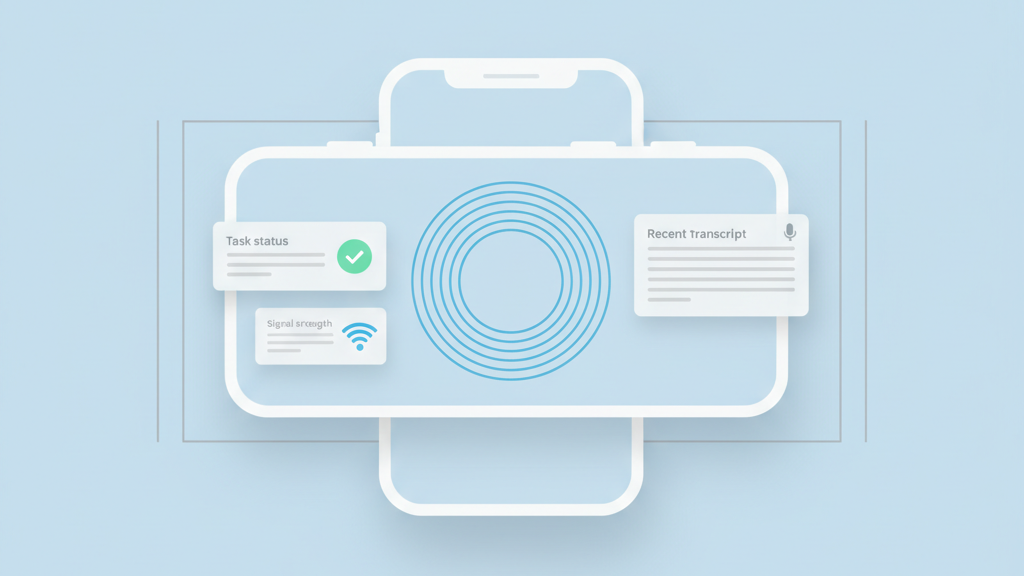
The demand for hands-free technology is growing fast in industrial and medical sectors. Companies want to move away from manual data entry to save time and reduce errors. Building a voice assistant application MVP for hands free workflows allows teams to test this technology in real environments. You do not need a perfect product to start. You need a reliable tool that solves one specific problem for a worker. This guide covers the essential steps to get your prototype into the hands of users. We will look at how to prioritize features and choose the right technology for your specific niche.
Identify the Specific Problem for Your Voice MVP
Many founders start with a broad vision for an AI assistant. This is often a mistake for an early stage product. You should look for a specific moment where a user is frustrated by using their hands. In a warehouse, this might be scanning a box while trying to type on a tablet. In a clinic, it could be a doctor who needs to take notes while examining a patient. Your first version should focus on these high friction moments. Launching your voice assistant application MVP for hands free workflows requires a deep understanding of the physical space where it will be used. You must observe the users in their natural environment. Notice if there are loud machines in the background. See if the users wear masks or gloves. These details will determine if your application is actually useful. A common warning for startups is that tech usually fails when it ignores the context of the work. If your app requires a silent room but your users work on a factory floor, it will fail. Focus on the one command that saves the most time. This single focus makes your initial development much faster. It also makes it easier to measure if the tool is working. You want to see a clear reduction in the time it takes to complete a task. Simplicity is your biggest advantage in the beginning.
Choose a Scalable Technical Architecture
The technical stack for voice is more complex than a standard web app. You need to handle audio streaming and natural language processing in real time. Latency is the biggest killer of voice user experiences. If a user says a command and nothing happens for three seconds, they will stop using the tool. You should use established cloud providers for your speech to text engine. Trying to build a custom model from scratch is usually a waste of money for an MVP. Focus on the logic that happens after the speech is turned into text. This is where your unique value lies. You need to map spoken words to specific actions in your database. Many developers forget that voice data is messy. People use slang and they stumble over their words. Your system needs to be smart enough to handle these variations without breaking. Start with a simple intent mapping system. This ensures that the application understands the core goals of the user even if the sentence structure is not perfect. You should also consider how the app handles offline situations. If the internet drops out in a warehouse, the worker still needs to get the job done.
- Select a speech to text API with low latency
- Build a robust natural language understanding layer
- Implement a local cache for offline command processing
- Use a modular design for easy engine swapping
- Monitor API costs to avoid unexpected scaling bills
Design for Audio Feedback and Confirmation
Voice interfaces do not have buttons to show that a click happened. You must provide clear audio feedback for every action. A simple beep or a short verbal confirmation tells the user that the system heard them. This prevents the user from repeating themselves. Without this feedback, people get confused and think the app is broken. You should avoid long sentences in your voice responses. Keep the output short and direct. Users want to hear that the task is done so they can move to the next step. You can also use different tones or sounds for success and error messages. This helps users learn the system faster. Another practical tip is to include a confirmation step for critical actions. If a user is deleting data or submitting a final report, the app should ask for a quick yes or no. This prevents accidental mistakes during busy shifts. Most startups miss the importance of these small interaction cues. They focus only on the transcription and forget about the conversation. A good voice interface feels like a helpful assistant rather than a stubborn machine. It should guide the user through the workflow without being annoying.
Test in Real World Noisy Environments
Lab testing is never enough for voice applications. You must take your device to the actual site where the work happens. The acoustics of a concrete warehouse are very different from a carpeted office. Echoes and background chatter can confuse your AI models. You might need to recommend specific hardware like noise canceling headsets. This is a common hurdle that many teams ignore until the last minute. Testing in the field also reveals how users actually speak. They might use different terms than you expected. You should record these sessions and use the data to improve your language models. This real world data is more valuable than any synthetic dataset you can buy. It shows you the true failure points of the system. You should also check how the battery life holds up when the microphone is constantly listening. Continuous listening drains power very quickly. You might need to implement a wake word or a physical trigger to save energy. Finding the balance between being ready to help and saving battery is a key part of the MVP process.
- Test with various levels of background noise
- Compare performance across different microphone hardware
- Gather audio samples of industry specific terminology
- Check battery consumption during active work shifts
- Identify common misinterpretations of spoken commands
Measure Success and Prepare for Scaling
Once the MVP is in the hands of users, you need to track the right metrics. Do not just look at how many people logged in. Look at the task completion rate. If users start a voice command but finish it by typing, your voice interface is failing. You want to see a high rate of successful voice interactions. This proves that the hands free aspect is working. You should also talk to the users to get their qualitative feedback. They will tell you if the voice is too loud or if the commands feel natural. Use this data to plan your next set of features. Often, you will find that users want the app to connect to other tools they already use. This is where you start building integrations. Scaling a voice product requires a strong data pipeline. You need to keep improving the accuracy as more people use it. Many startups get stuck in the MVP phase because they do not have a plan for managing audio data. You must ensure that you are handling this data securely and following privacy laws. This is especially important in the healthcare and legal sectors. Build a foundation that allows for growth without compromising user trust.
- Monitor the ratio of voice to manual inputs
- Track the time saved per workflow completion
- Analyze common points where the assistant fails
- Survey users on the comfort of the interface
- Ensure data encryption for all voice recordings
- Plan integrations with existing enterprise software