
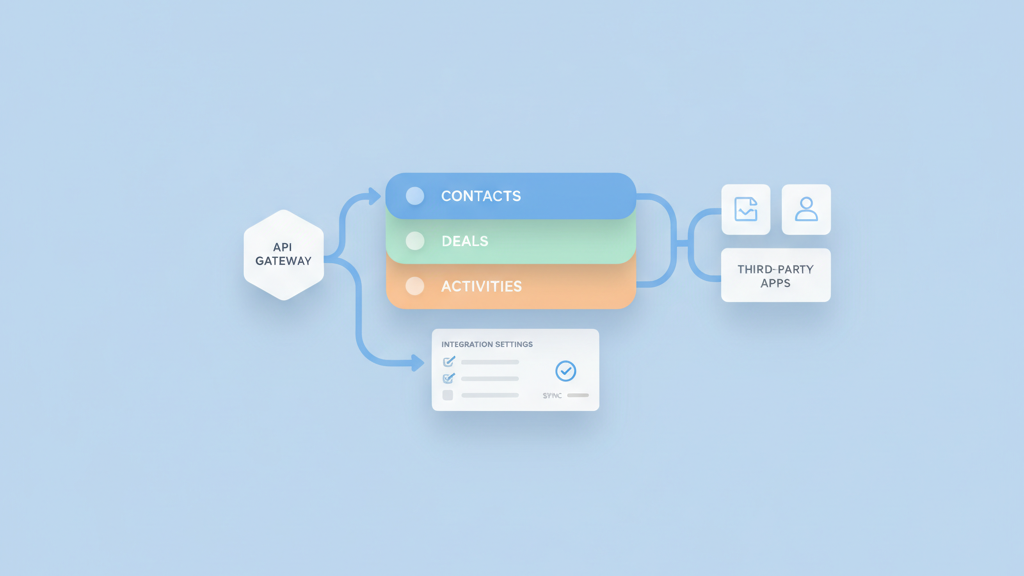
This guide focuses on enterprise CRM software MVP workflows and integrations for startup product teams in the USA. It covers how to map core processes, pick integration targets, and validate assumptions quickly. Many startups miss the right scope at first. If you want a related deep dive, read How To Budget An MVP For Early Teams (enterprise app MVP pricing for small businesses USA).
Why Start with Clear Workflow Mapping
Founders often rush to build features without a clear view of real workflows. Start by mapping the customer journey from lead capture to closed revenue. Include handoffs between sales support and product teams. Focus on the minimal path that shows value to users and investors. Use real user interviews rather than assumptions. Keep the first map small and testable. Many teams try to automate every edge case too early. That adds needless complexity to the architecture and slows down delivery. A compact workflow map helps define required integrations and data flows. It also reveals the core events that must trigger syncs and automations. Aim for clarity over perfection. That will guide the MVP scope and keep the build lean. For a practical follow-up, see Real-Life Case Studies: The Power of MVP Development for Startups.
- Interview target users first
- Map the minimal customer journey
- Highlight handoffs and pain points
- Limit the initial workflow to core value
- Avoid automating edge cases early
Prioritizing Core CRM Features for the MVP
Choosing which features to deliver first can make or break early adoption. Prioritize features that reduce manual work and increase deal velocity. Examples include unified contact records simple pipeline stages and activity logging. Keep reporting lightweight and focused on actionable metrics. Do not waste time on elaborate role based UI until you prove product market fit. Lean on pragmatic defaults and simple permissions for the first release. Design for incremental enablement so you can add capabilities later. Make trade offs visible to stakeholders and document why each feature made the cut. This keeps teams aligned and helps with future roadmap decisions. Be honest about hypotheses and what you plan to validate after launch. A related guide worth reviewing is B2B Onboarding Software MVP Product Market Fit Steps That Actually Work.
- Focus on automating manual tasks
- Build simple contact and deal models
- Ship minimal reporting for decision making
- Defer advanced permissions and roles
- Plan features for incremental rollout
Designing Integration Patterns That Scale
Integrations are the backbone of an enterprise CRM offering. Choose a pattern that is robust and simple to operate. Event driven syncs are useful for near real time updates. Batched syncs are cheaper and easier to debug for non critical data. Plan for idempotent operations and clear error handling. Define the canonical source of truth for each data entity to avoid conflicts. Keep integration contracts small and versioned so you can change them without breaking partners. Consider building a lightweight connector for one or two key platforms first. Many startups underestimate the operational burden of connectors. Instrument logging and monitoring from day one. That makes it faster to diagnose and fix issues in production.
- Pick event or batch syncs based on needs
- Define canonical sources of truth
- Ensure idempotent integration calls
- Version connector contracts
- Add logging and monitoring early
Data Modeling and API Strategy
A clear data model prevents costly rewrites later. Start by modeling only the attributes needed for the MVP workflows. Avoid building a perfect model for every possible customer. Use flexible schemas for optional fields and standardize core identifiers across systems. Design APIs that are explicit about required fields and error responses. Favor REST style endpoints for simplicity or GraphQL when clients need flexible queries. Keep authentication simple and secure. Document API edge cases and expected rate limits. Plan for data migrations by versioning schemas and designing compatibility layers. Many teams forget to map how duplicate records will be detected and merged. That creates messy downstream behavior and hurts user trust. If you need implementation support, explore Backend API development.
- Model only what supports MVP workflows
- Standardize core identifiers
- Choose REST or GraphQL deliberately
- Document error responses and limits
- Plan schema versioning and migrations
Authentication, Security, and Compliance Basics
Security is not optional for enterprise customers. Implement strong authentication and audit logging from the start. Use industry accepted standards for tokens and session handling. Encrypt sensitive data both at rest and in transit. Create a minimum viable compliance checklist that covers access controls data retention and breach response. Work with legal or external advisors for specific industry requirements. Keep secrets out of code and centralize credential management. Many startups treat security as a later stage task and pay the price during sales cycles. Even a simple security posture document can speed up enterprise procurement. Small deliberate steps in this area build trust with prospects and reduce roadblocks during pilots. Teams moving from strategy to execution can review MVP development for startups.
- Use standard token based authentication
- Enable audit logging for key actions
- Encrypt data at rest and in transit
- Create a basic compliance checklist
- Centralize secret and credential management
Testing, Validation, and Early User Feedback
Validation is the fastest way to avoid wasted engineering. Set up tests that mirror actual customer flows and integration scenarios. Include both automated tests for core logic and manual runbooks for integration checks. Deploy the MVP to a small set of friendly customers to collect real usage data. Use feedback loops to refine workflows and APIs. Pay attention to how users bypass the product because that reveals missing features. Instrument user events and errors so you can measure adoption and pain points. Prioritize fixes that unblock revenue or repeatedly frustrate users. Many teams assume they will pivot later and skip early validation. That approach often costs more time and trust than a careful pilot.
- Build end to end tests for core flows
- Run integration checklists before release
- Pilot with a small set of early customers
- Instrument events and error tracking
- Prioritize fixes that impact revenue
Deployment, Observability, and Scaling Plans
Plan deployment and observability with practical defaults. Automate deployments and rollbacks for predictable releases. Set up dashboards for latency errors and integration health. Track SLA related metrics that matter to enterprise users. Design for graceful degradation so non critical failures do not block the main workflow. Use feature flags to turn off new capabilities during incidents. Estimate scaling needs based on realistic pilot usage rather than hypothetical adoption. Prepare simple runbooks and incident response steps for common failure modes. Many teams build complex autoscaling before they need it and add unnecessary cost. Start with sensible limits and iterate as usage grows.
- Automate deployments and rollbacks
- Monitor latency and integration health
- Use feature flags for control
- Prepare runbooks for common incidents
- Scale based on pilot metrics not guesses
Common Pitfalls and Practical Recommendations
There are predictable pitfalls that slow down MVP projects. Trying to support every integration in the first release spreads the team too thin. Over engineering the data model causes delays and makes migrations painful. Ignoring operational burden for connectors leads to high maintenance costs. Withhold complex permissions and advanced reporting until you have a stable user base. Focus on a tight set of integrations that prove the value proposition. Keep documentation concise and focused on how to get started. Many startups underestimate the need for clear onboarding and handoff materials for enterprise pilots. Be pragmatic and iterate fast. That approach wins pilots and creates the breathing room to add the rest later.
- Avoid supporting too many connectors early
- Do not over engineer the data model
- Document onboarding for pilots
- Delay advanced permissions and reports
- Measure and iterate based on real use