
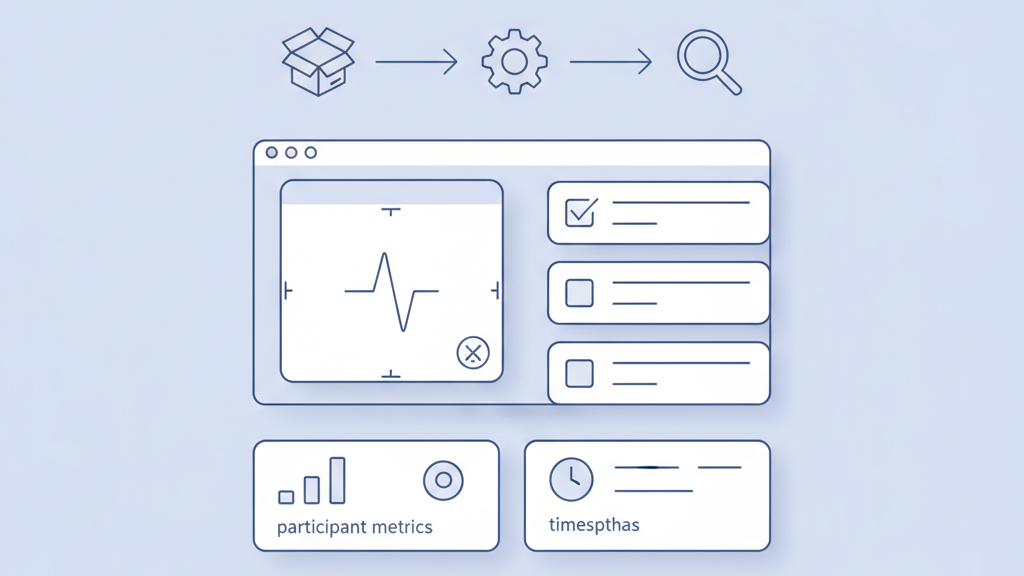
This guide explains how to run effective remote user testing sessions for startups that need fast feedback. It covers planning, recruiting, tools, moderation, and analysis in a pragmatic way. Many startups miss simple steps that cost time later, so this piece focuses on what to set up first and what to skip. Read on if you want tests that deliver usable insights without over engineering the process. If you want a related deep dive, read Process for Running Effective Early User Interviews for Product Teams.
Planning Your Session
Start by defining one clear research question and two or three tasks that test it. Set success metrics you can measure like time on task or task completion rates. Decide who needs to attend the session on your side and what each person will do. Schedule a dry run to check audio, recording, and participant flow. Create a short consent script and a privacy plan to store recordings securely. Timebox each session and leave space for post session debriefs. Many teams skip the debrief and lose insights. Good planning reduces confusion and keeps sessions short and useful for product teams. For a practical follow-up, see How To Set Product Metrics And KPIs For Startups That Scale.
- Define one main research question
- Pick two to three core tasks
- Set measurable success metrics
- Create a consent and privacy plan
- Timebox sessions and include debriefs
Recruiting Participants
Recruit users who match your target profile and exclude internal staff and friends. Use short screeners that filter for behavior not demographics. Aim for a small set of diverse users rather than a large homogeneous group. Offer modest incentives and be clear about time and tech needs. If you need speed use recruiting services or customer lists with care. Track where each participant came from and any prior exposure to your product. Avoid bias by rotating interviewers and by not over sharing product details before the session. Good recruitment makes findings credible and actionable for the team. If you need implementation support, explore MVP development for startups.
- Define clear participant profiles
- Use screeners that focus on behavior
- Aim for diversity over large numbers
- Offer clear incentives
- Use recruiting services when speed matters
Choosing Tools
Choose a toolset that fits your tasks and your users tech. Decide between moderated and unmoderated tests based on how much probing you need. Pick a platform that records video and audio reliably and has easy sharing. Ensure participants can join without complex installs and test on mobile if that is your primary device. Consider backup options for recording and note sharing. Check privacy controls and storage location to stay compliant. A simple setup beats a fancy stack when teams need quick turnarounds. My experience is that reliability trumps bells and whistles every time. A related guide worth reviewing is How to Choose the Right Tech Stack for Your MVP Development.
- Pick moderated or unmoderated based on goals
- Choose reliable recording and sharing tools
- Test for mobile compatibility
- Verify privacy and storage settings
- Have a backup recording method
Crafting Tasks And Scripts
Write tasks as scenarios that feel real to participants and avoid leading language. Keep tasks short and singular so you know what triggered a success or failure. Prepare a light script for the moderator to keep tests consistent but allow natural follow up questions. Include clear start and end points for each task and define what success looks like for the team. Pilot the script with a colleague to catch confusing wording. Use think aloud prompts but do not coach users through the interface. A careful script reduces noise and makes analysis far easier.
- Use scenario based tasks
- Keep tasks short and focused
- Create a light moderator script
- Pilot tasks before real sessions
- Define clear success criteria
Moderating Remotely
Start each session with a quick warm up to build rapport and explain the goals. Stay neutral and avoid giving hints that steer the user. If technical issues appear have a plan to reschedule or pivot to a phone call. Use short open probes to understand user reasoning and record reactions when possible. Watch for non verbal cues such as pauses or repeated clicks since they often reveal friction. Keep an eye on the clock and move on when a task stalls. Many moderators undervalue pacing and end up with long sessions that dilute insights. Practice helps moderators become calm and effective. Teams moving from strategy to execution can review Mobile app development.
- Open with a short warm up
- Stay neutral and avoid hints
- Have a technical fallback plan
- Use open probes sparingly
- Manage time and pacing
Recording And Note Taking
Record sessions and take structured notes at the same time to capture highlights. Use a simple template with participant details timestamps and key quotes. Mark moments during the session that need follow up and tag them by task. Encourage a second team member to observe and capture reactions and edge cases. Store recordings securely and link them to notes so the wider team can review without hunting. Transcribe where budget allows but do not wait for full transcripts before synthesizing key findings. Quick notes plus selective clips often convince stakeholders faster than long reports.
- Record every session
- Use a timestamped note template
- Tag key moments by task
- Have a second observer when possible
- Store recordings securely with links
Analyzing Results
Synthesize findings quickly while details are fresh using affinity mapping or simple spreadsheets. Look for recurring pain points patterns and surprising behaviors. Quantify issues by frequency and impact to help prioritize work. Pull short video clips or quotes that illustrate each finding for use in stakeholder demos. Discuss plausible root causes and suggested fixes with design and engineering to avoid vague recommendations. Beware of over weighting single memorable sessions and look for repeatable patterns. Fast synthesis keeps the team aligned and makes it easier to convert insights into concrete decisions.
- Synthesize early with team
- Group findings by pattern
- Quantify frequency and impact
- Use short clips to illustrate points
- Propose concrete root causes and fixes
Integrating Findings Into Product
Turn research insights into clear next steps for the product backlog and tag items by effort and impact. Identify quick wins that can be shipped in days and larger changes that need planning. Share a concise report with stakeholders and run a short demo of key clips to build momentum. Set success metrics for any change and plan a follow up test to validate the fix. Keep research artifacts accessible and add them to sprint planning conversations. A common mistake is to file findings and move on. If you do not create a clear path to action the tests will not affect outcomes.
- Translate insights into backlog items
- Prioritize by effort and impact
- Share concise reports and clips
- Set metrics and plan follow up tests
- Keep artifacts accessible for teams