
Starting a new software project often involves a rush to find product market fit. Many founders think accessibility is a later stage task. This mindset is a mistake because retrofitting code is expensive. You want your early adopters to love the product regardless of how they interact with technology. Building inclusive features from the start creates a better experience for everyone. It also helps you avoid legal issues as you grow. This guide covers the essential steps for designing accessible interfaces for early adopters without slowing down your development cycle. Inclusive design is a competitive advantage for startups in today’s market.
The Foundation of Inclusive Design
Most startups focus solely on the happy path during their initial launch. They assume their first users will be tech savvy individuals with no visual or motor impairments. This assumption is often wrong and limits your potential market share from day one. When you consider accessibility early you create a cleaner codebase and more logical navigation flow. It is much easier to implement high contrast ratios and keyboard navigation during the initial build than it is to fix them after your series A funding. Many startups miss this and end up with technical debt that takes months to resolve. You should view accessibility as a core feature rather than a compliance checkbox to be ticked off. It makes your product more robust for power users who rely on keyboard shortcuts too. By following these steps for designing accessible interfaces for early adopters you ensure that your product remains usable as your user base diversifies. A commitment to inclusion helps you build a loyal community of early supporters who feel heard. These users are more likely to provide high quality feedback and promote your brand to others. Ignoring accessibility is essentially turning away potential customers before they even try your service. Startups need every advantage they can get in a competitive market. Building an inclusive product is a smart business decision that pays dividends as you grow. It shows that your agency cares about the quality of the work and the people using it.
Prioritizing Color and Contrast
Visual clarity is the first thing a user notices when they open your application. Low contrast text might look sleek to a designer but it is a nightmare for people with low vision. You need to ensure that your background and foreground colors meet standard ratios. This applies to buttons and links as well as body text. Avoid using color as the only way to convey information in your UI. For example a red border on a form field should also include an error icon or text. This helps users who are color blind understand what went wrong. Many founders overlook how much lighting conditions impact mobile usage. A high contrast interface works better for a user standing in bright sunlight. You should also consider the size of your touch targets. Small buttons are difficult to press for users with motor issues or even for people with larger hands. Large click areas improve the experience for every mobile user. Consistency in your visual language helps users build a mental map of your software quickly. If every primary action looks different you increase the cognitive load for your early adopters. Simple changes to your color palette and layout can make a huge difference in usability.
- Use tools like Stark to check contrast ratios.
- Aim for a ratio of at least four point five to one for small text.
- Ensure buttons change shape or underline on hover.
- Provide text labels alongside color coded status indicators.
- Test your design in grayscale to see if it still makes sense.
Keyboard Navigation and Focus Management
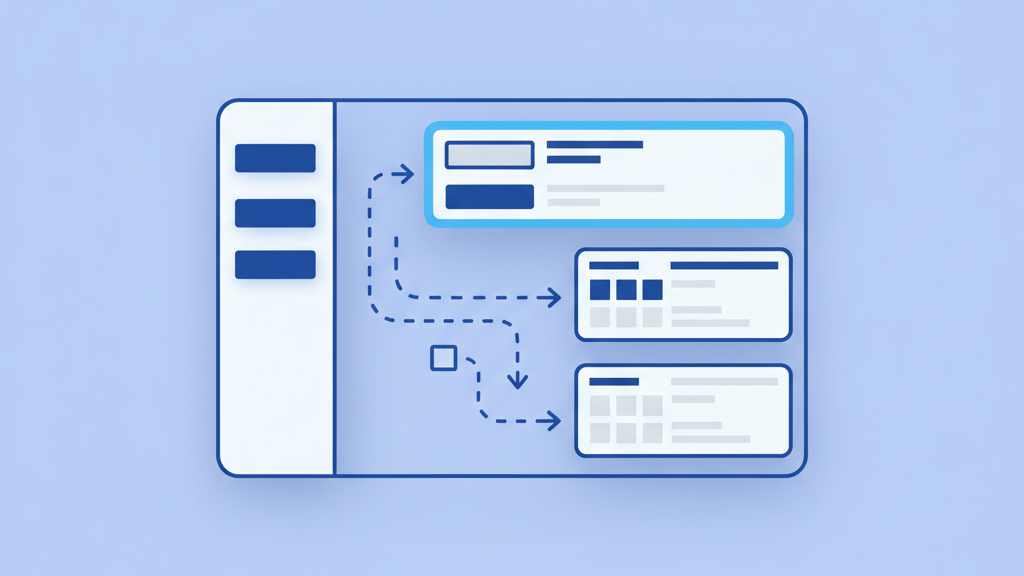
Power users and people with motor disabilities often rely on keyboards rather than mice to navigate software. Your early adopters will appreciate a system that allows them to move through tasks without lifting their hands from the keys. This requires a logical tab order that follows the visual flow of the page. You must also ensure that every interactive element has a clear focus state. Users need to see exactly where they are on the screen at all times. If a user tabs into a modal it should trap the focus there until they close it. This prevents people from accidentally interacting with background elements they cannot see. Designing for keyboard use often leads to a more efficient interface for everyone. It forces you to simplify your navigation and remove unnecessary steps in the user journey. Consistent focus management is one of the most important aspects of a professional UI because it directly impacts productivity. You should avoid custom widgets that do not support keyboard interaction out of the box. Stick to standard patterns that users already understand. If you build a complex drag and drop interface you must provide a keyboard alternative. This ensures that your application remains functional for everyone. Simple keyboard shortcuts can also be a major selling point for power users who want to move fast. Building these features into your MVP makes your product feel more polished and thoughtful.
Semantic HTML and Screen Reader Support
The structure of your code determines how assistive technology interprets your site. Using generic div tags for everything makes it impossible for screen readers to navigate effectively. You should use native HTML elements like buttons and anchors whenever possible. These elements come with built in accessibility features that you do not have to build from scratch. Screen reader users rely on headings to understand the hierarchy of your content. If you skip heading levels or use them for styling you break the mental model of the page. It is a common mistake to ignore alt text for images. Descriptive text helps users understand the context of your visuals. Investing time in semantic markup now will save you from a massive overhaul later. You must also ensure that your forms are accessible. Labels should be programmatically linked to their inputs. This allows users to click the label to focus the field. Error messages must be clear and reachable by screen readers. By using standardized code you ensure that your product works across different browsers and devices. This technical reliability is essential for early stage products looking to gain trust.
- Use buttons for actions and links for navigation.
- Add descriptive alt text to all functional images.
- Maintain a logical heading structure from H1 to H4.
- Label form fields clearly using the label tag.
- Avoid using auto play for videos or audio clips.
- Test your site using a free screen reader like VoiceOver.
User Testing with Diverse Groups
You cannot truly know if your interface is accessible until you watch someone use it. Many product teams make the mistake of testing only with their own employees. This creates a bias because your team already knows how the software works. You should actively seek out early adopters who use assistive technologies like screen readers or voice control. This feedback is invaluable during the MVP stage. You might find that your navigation is confusing or that certain buttons are too small to click. Small changes based on real world usage can significantly improve your conversion rates. It is better to find these flaws when you have fifty users instead of fifty thousand. Direct observation helps you understand the friction points that automated tools might miss. Including accessibility in your user research shows that you value every customer from the very beginning. You can use platforms like Fable or UserTesting to find specific demographics. Hearing a user describe their frustration provides a powerful incentive for your team to improve the product. This human element is often missing from technical development cycles. Startups that listen to their most diverse users often build products that are much more intuitive for the general population. Testing early and often prevents the need for expensive design changes later in the roadmap.
Scaling Your Accessibility Efforts
Accessibility is not a one time task. It must become part of your development culture as you scale. This means including accessibility requirements in your user stories and pull requests. You should train your developers and designers on the latest standards to keep them informed. As your startup grows you will likely build a design system to maintain consistency. Integrating accessible components into that system ensures that every new feature is compliant by default. This proactive approach saves time and keeps your team focused on core innovation. It also positions your brand as a leader in social responsibility and ethics. Investors look for companies that build sustainable and inclusive products for the long term. By following the steps for designing accessible interfaces for early adopters you create a foundation for long term success. You ensure that no user is left behind as you move from a small pilot to a global platform. Documentation is also key during this phase. Having a clear set of accessibility guidelines helps new hires get up to speed quickly. This prevents the degradation of your interface quality as the team expands. Consistency across different platforms like web and mobile is equally important. Your early adopters should have the same high quality experience regardless of which device they choose to use.